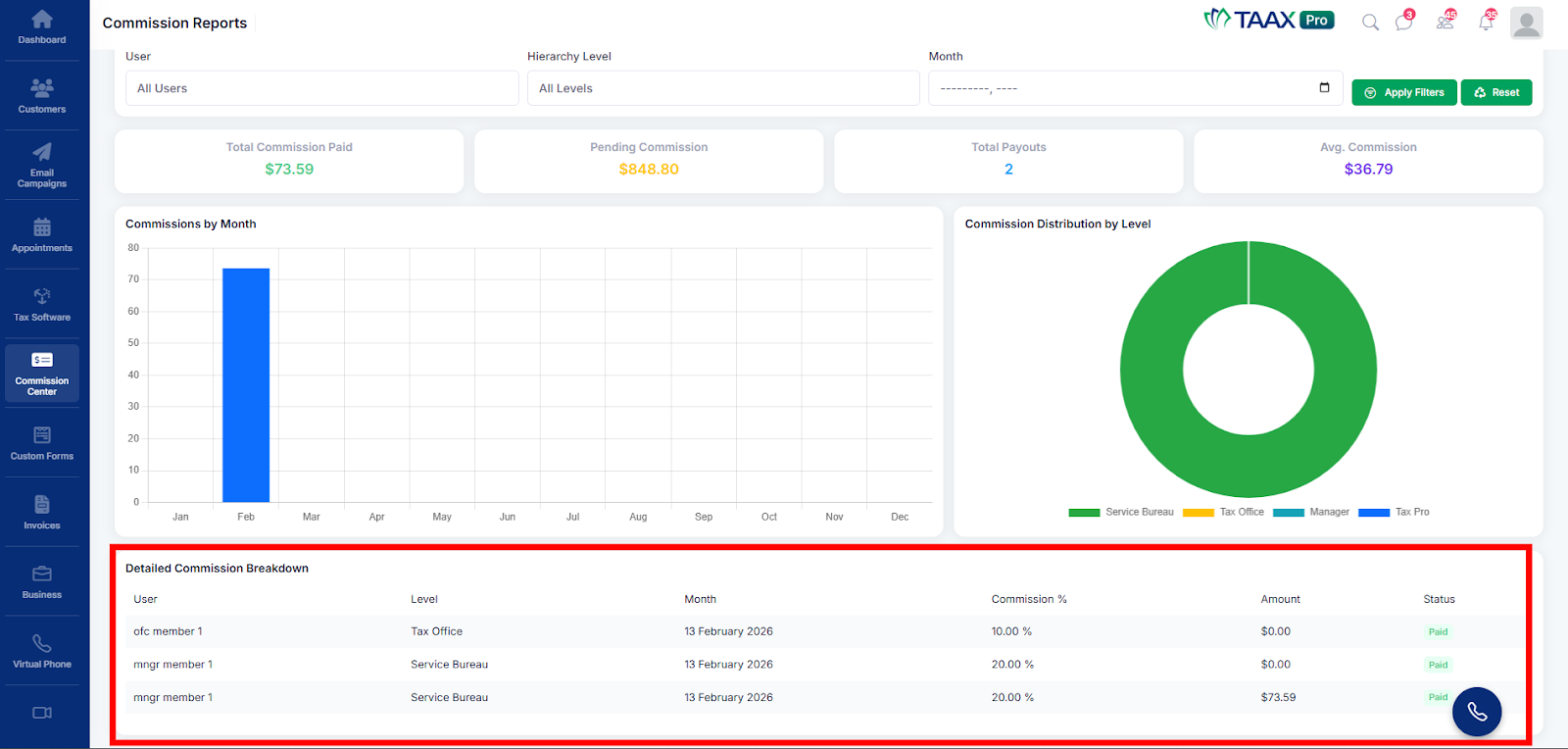
The View Reports section in TAAX Pro allows users to analyze their commission data in detail. It provides insights into earnings, payouts, and performance trends through summary metrics, charts, and detailed breakdowns, making it easier to make informed decisions.
The following steps explain how to access and use the View Reports section:
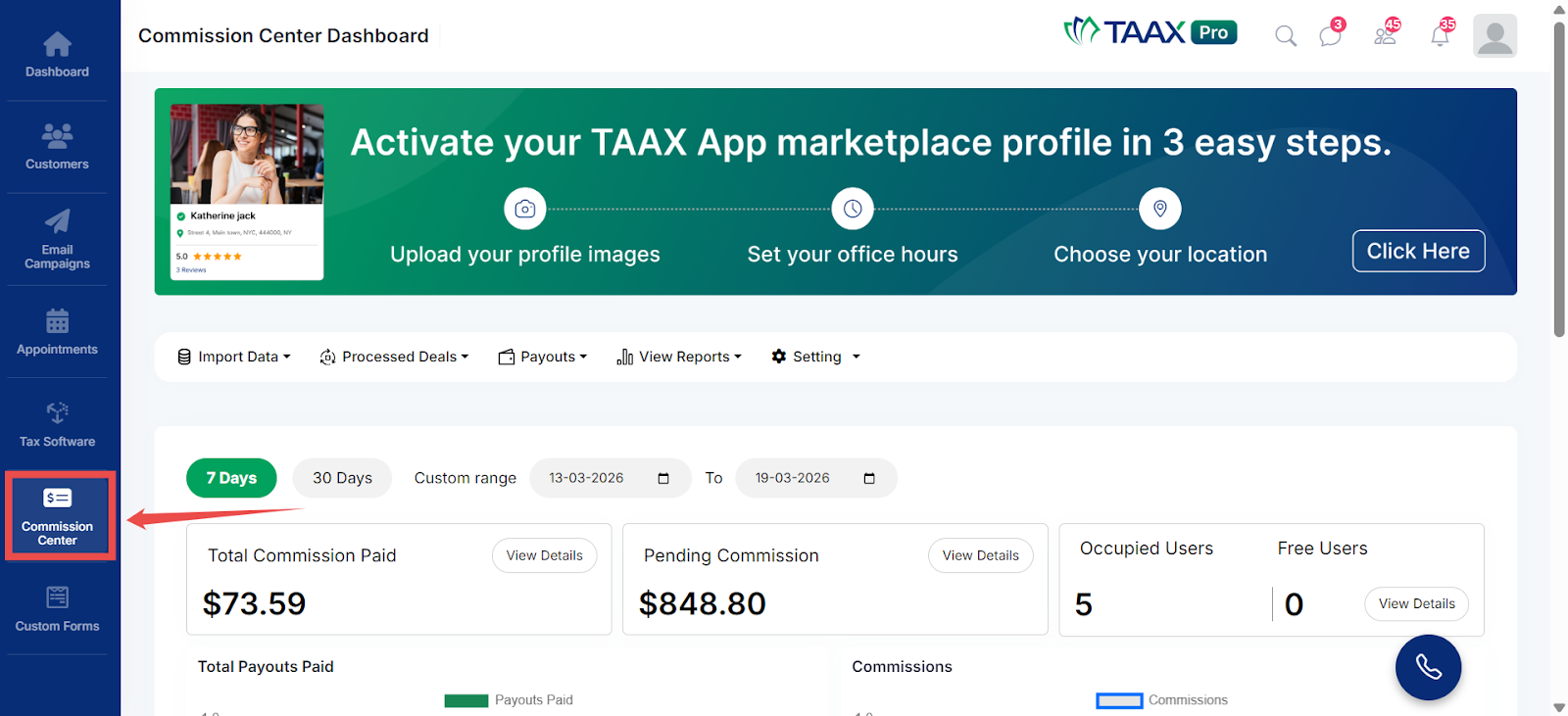
Step 1: From the Dashboard, navigate to the left-side navigation panel and click on Commission Center.
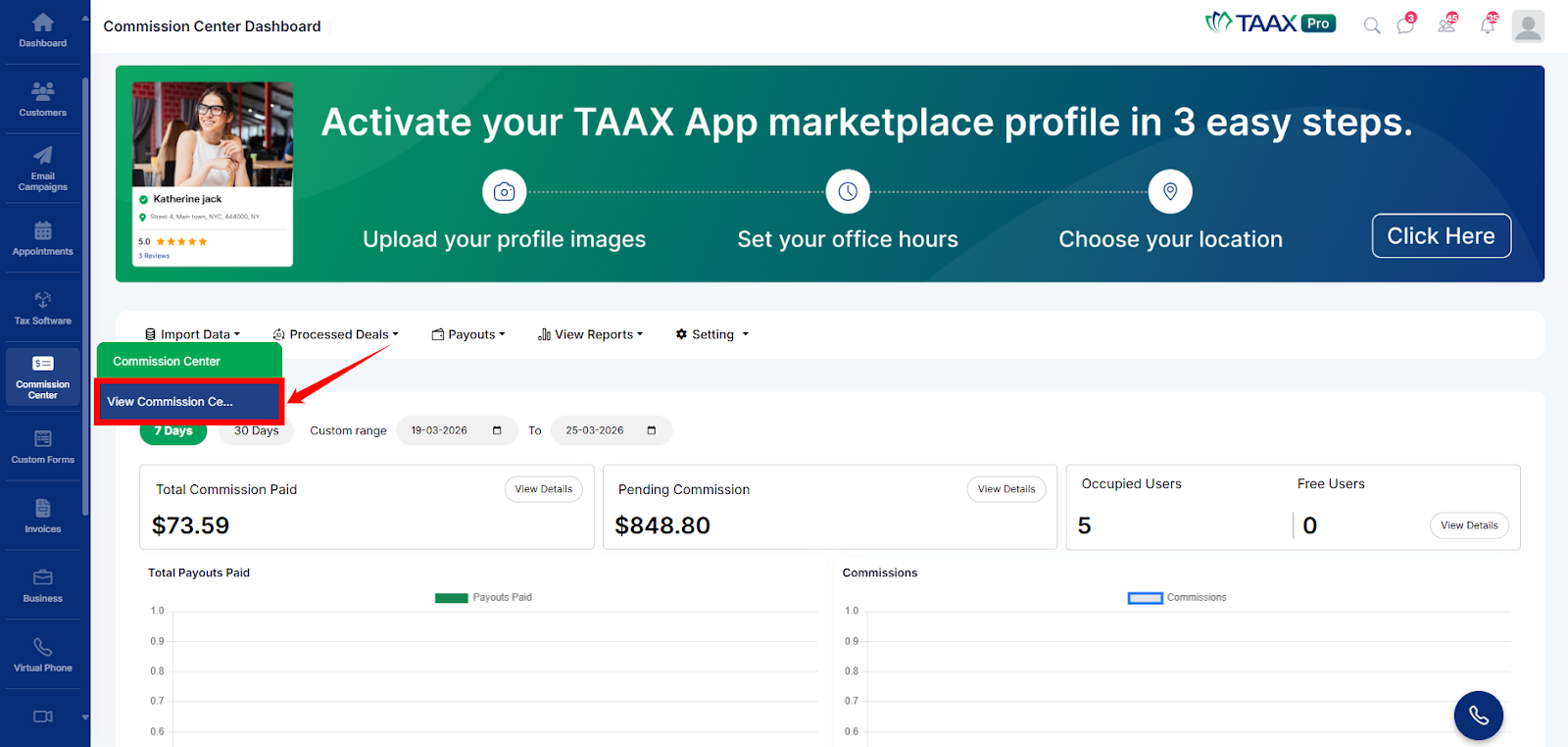
Step 2: Click on View Commission Center. The Commission Center Dashboard will open.
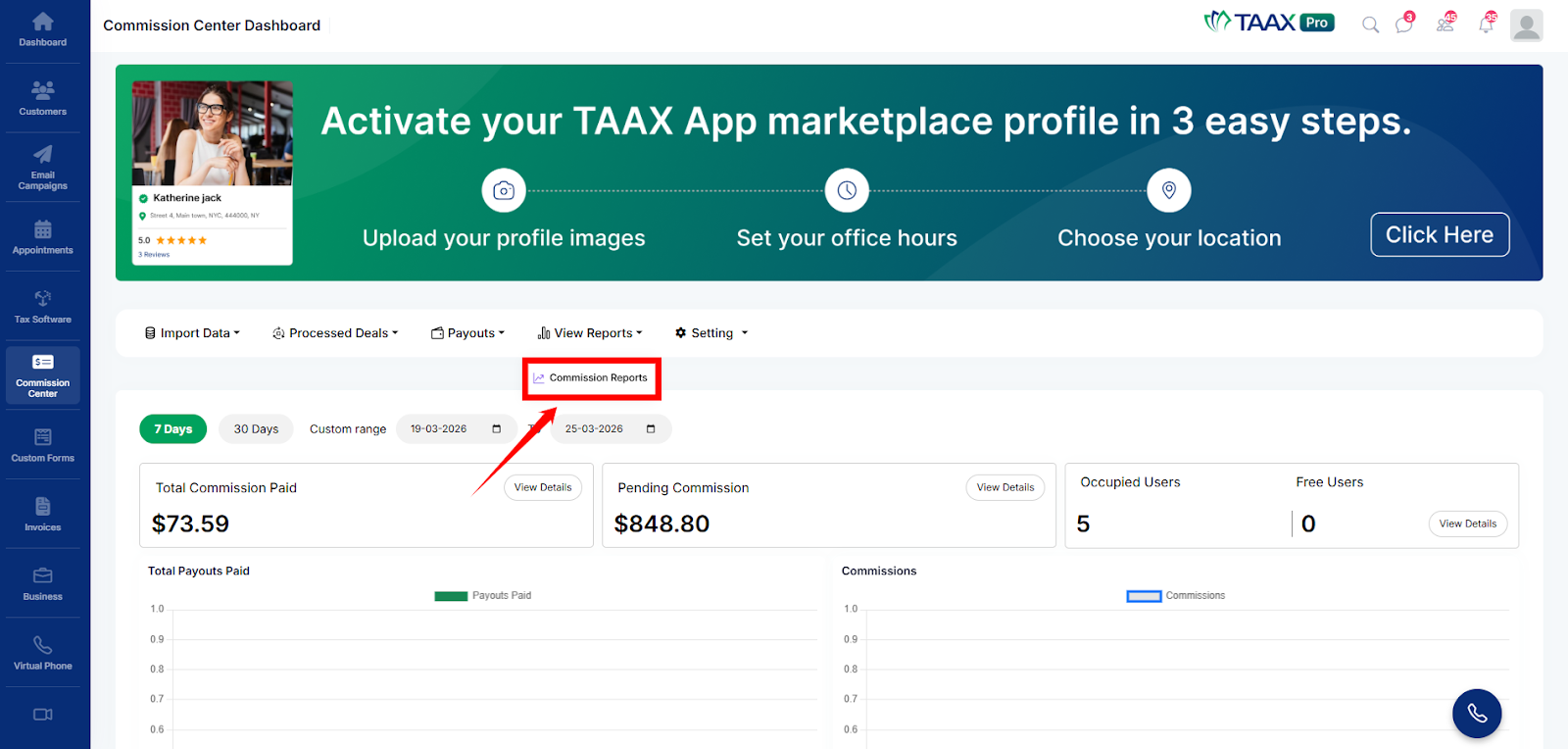
Step 3: On the Commission Center Dashboard, navigate to the top menu and click on View Reports.

Step 4: Click on Commission Reports to view detailed reports and analytics.
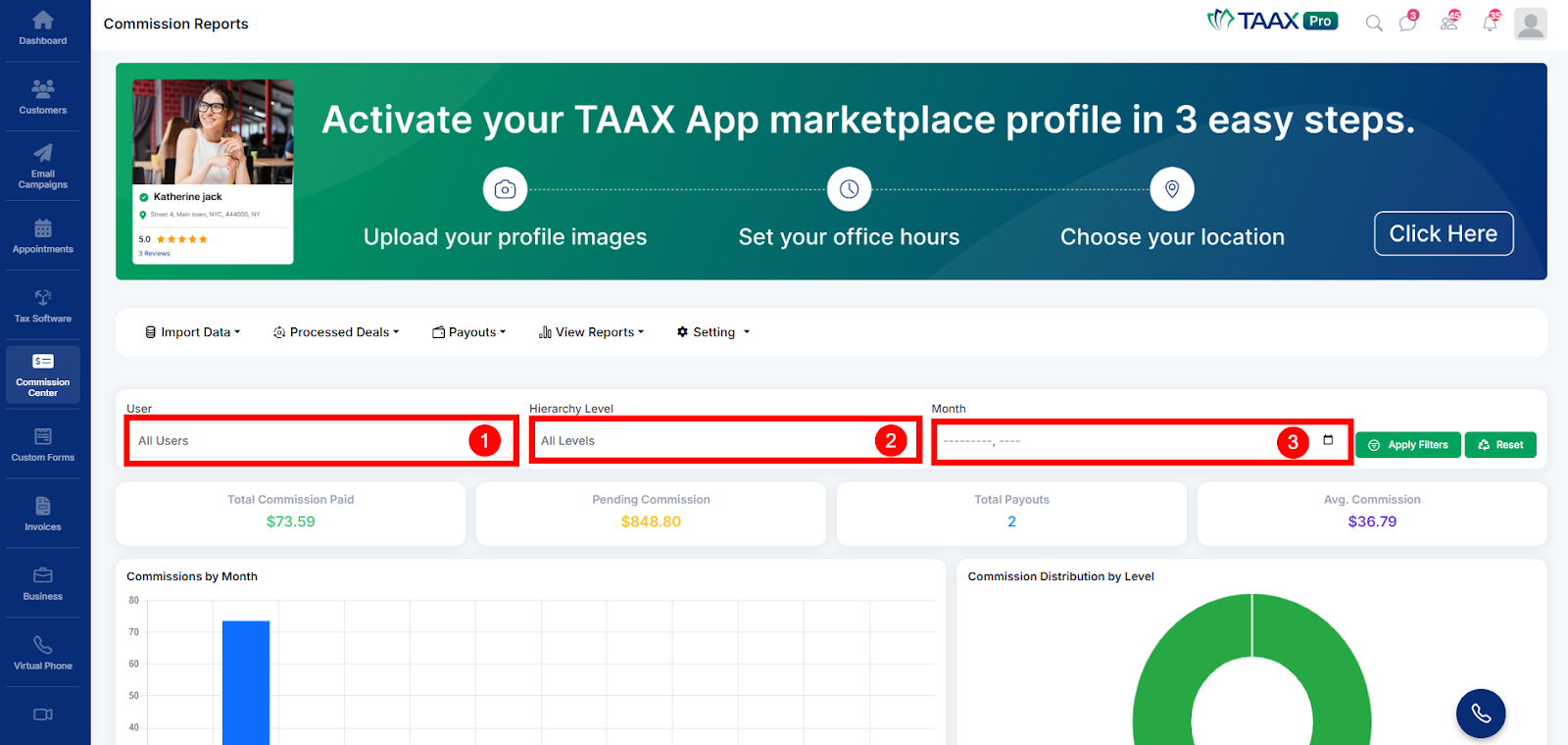
Step 5: The Commission Reports page will open. Use the available filters to search for specific records:
- User - Select any User from the dropdown list to view report data or select All Users to see all data.
- Hierarchy Level- Select the Hierarchy Level from the dropdown list or keep All Levels to see all data.
- Month - Select a Month using the date picker to view report data for a specific time period.
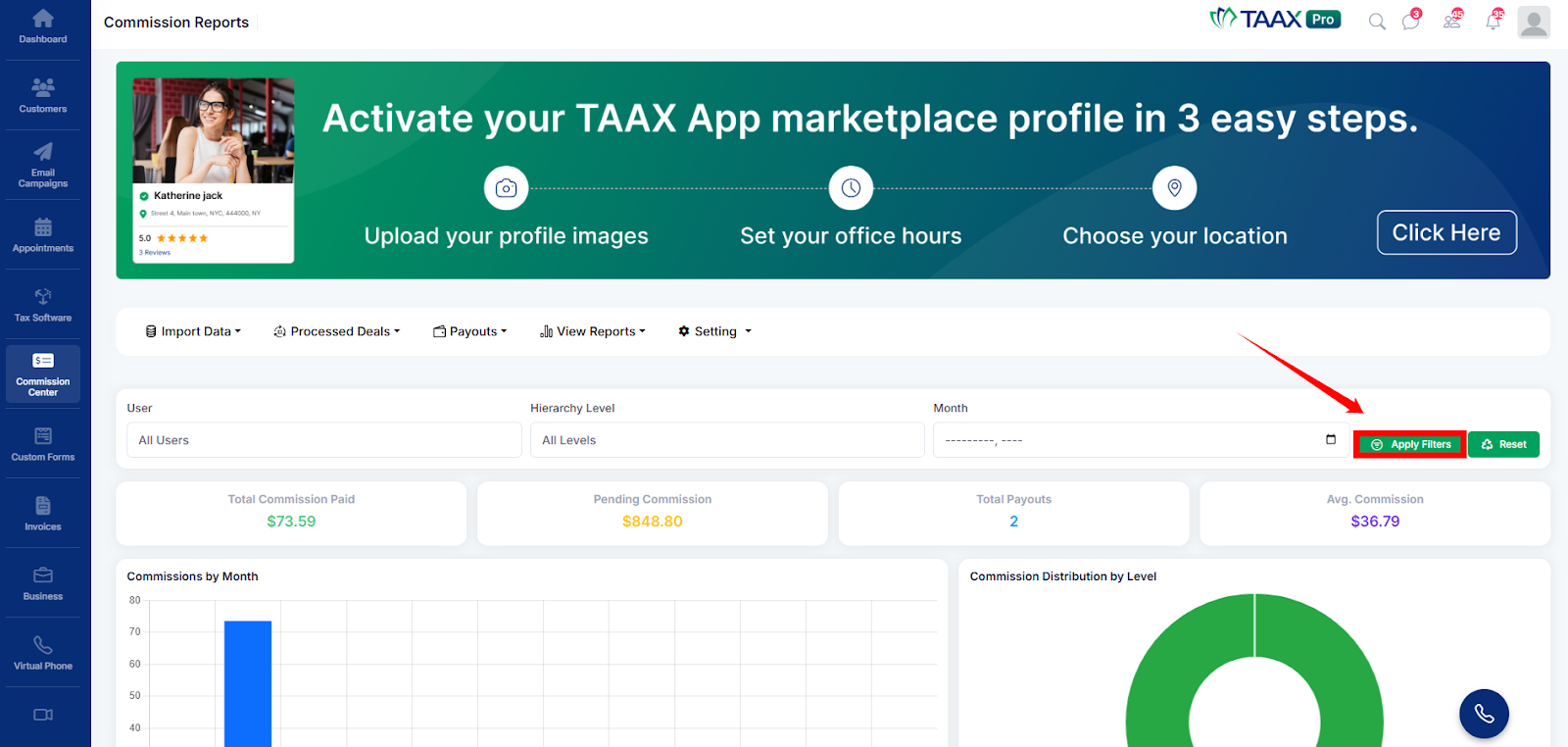
Step 6: Click on Apply Filters to load and view report data based on your selected options.
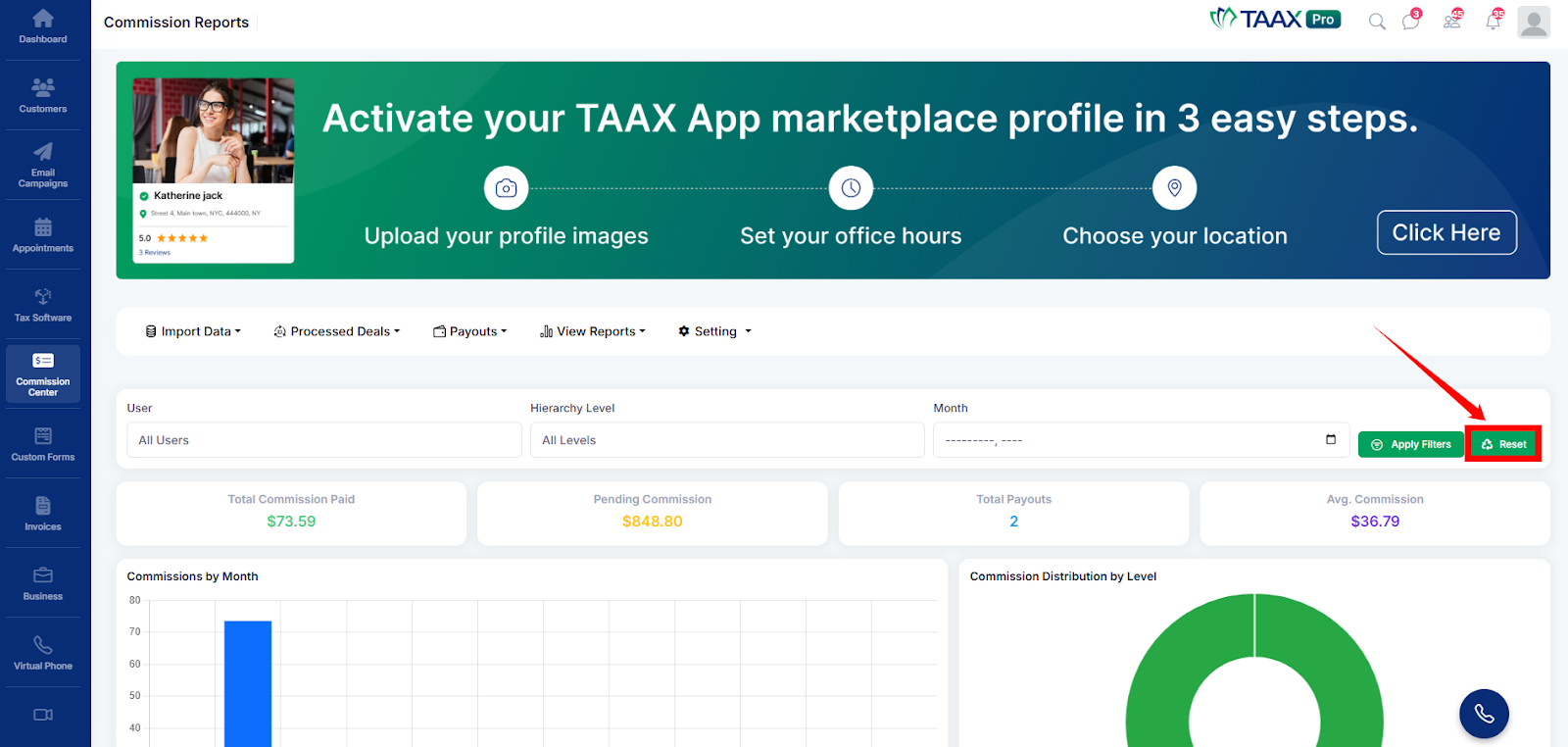
Step 7: Click Reset to clear all filters and return to the default report view.
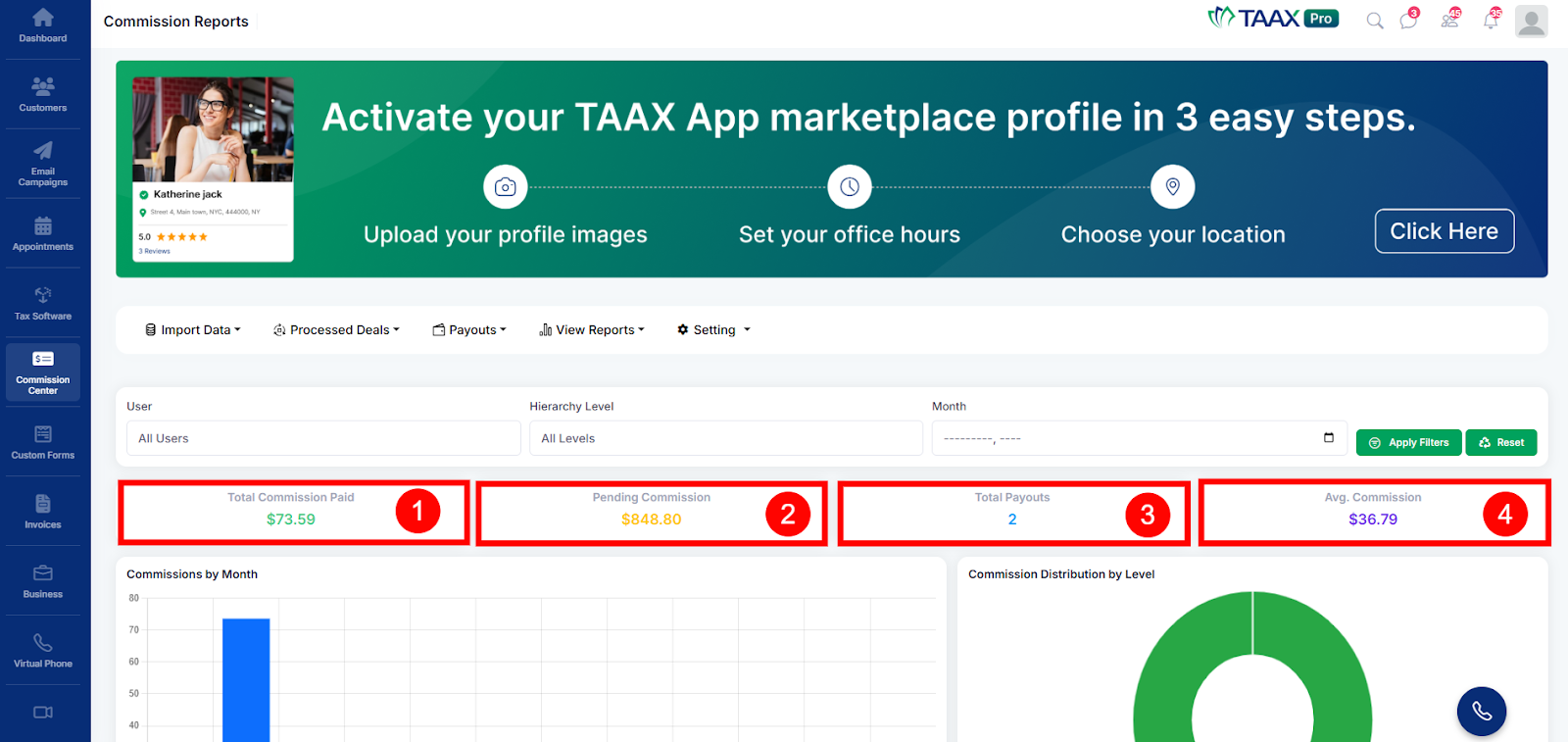
Step 8: Review the summary metrics for a better understanding of the overall performance which includes the following details:
- Total Commission- Check Total Commission Paid to see how much commission has been paid.
- Pending Commission- Check Pending Commission to see how much is still unpaid.
- Total Payouts- Check Total Payouts to see how many payouts have been made.
- Avg.Commission- Check Avg. Commission to see the average commission earned.
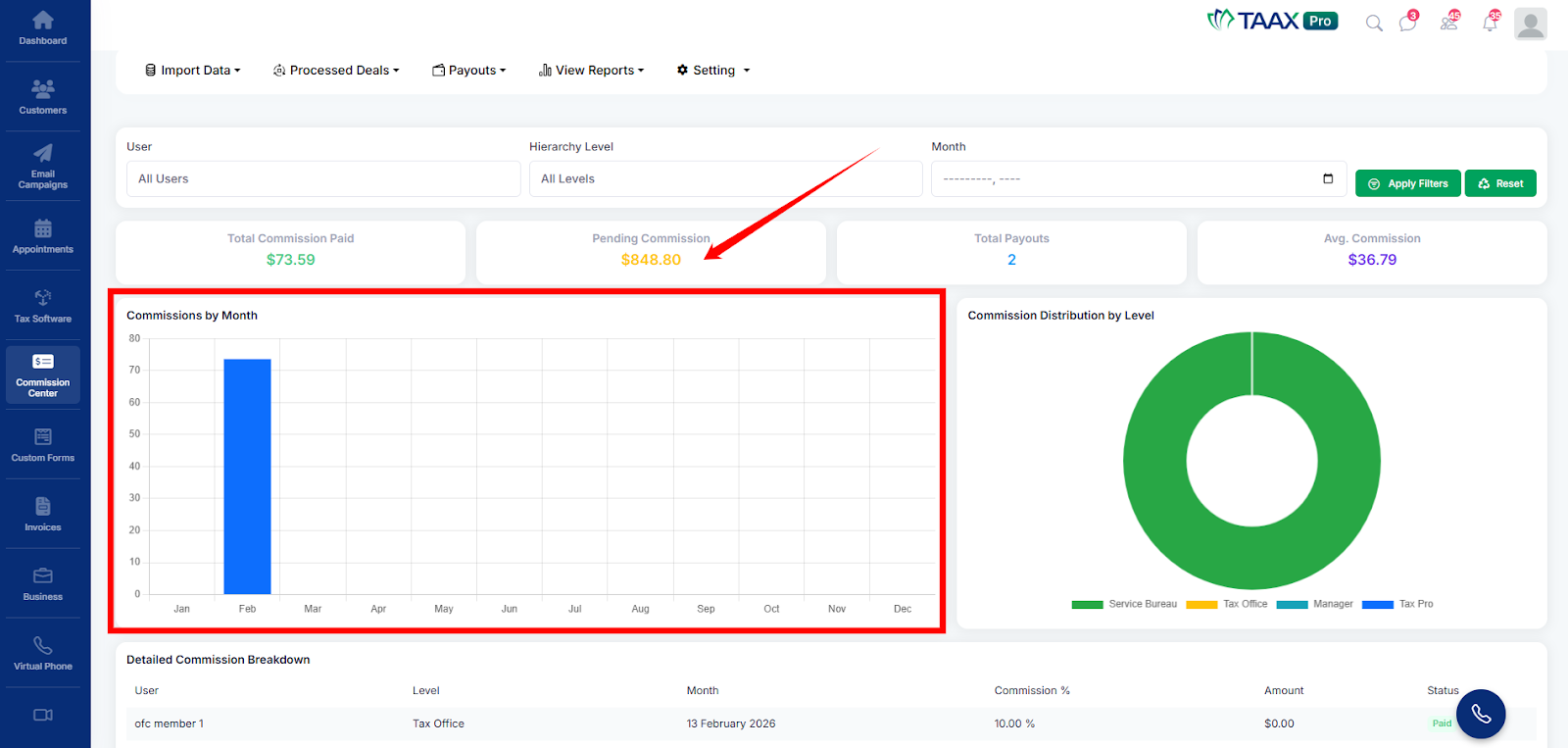
Step 9: Review the Commissions by Month chart to see how commissions change each month.
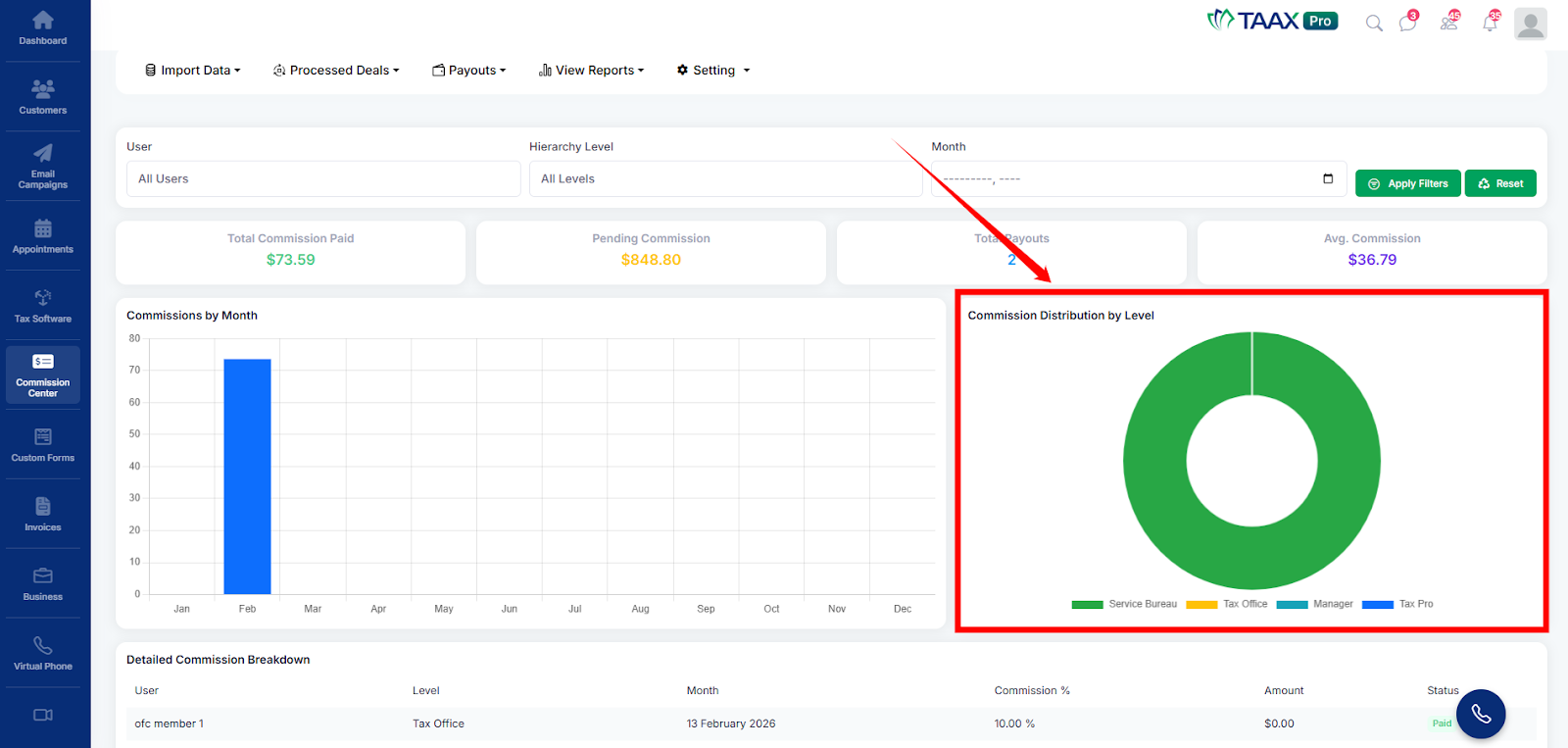
Step 10: Check the Commission Distribution by Level chart to see how commissions are shared across different roles.
Step 11: Scroll down to the Detailed Commission Breakdown table to review complete commission details for each record, including User, Level, Month, Commission %, Amount, and Payment Status.